
Start with a photo.
Use photo appraisal tools to help identify a find and explore its resale potential.

PHOTO SCANS + QR BOX INVENTORY
Snap a photo to explore what an item is and research its price. Save it to inventory, assign a storage box, and scan the box’s QR label to see what’s inside.
Explore a 7-day trial · 5 photo scans a day
LESS SECOND-GUESSING. MORE RESELLING.
You already have an eye for opportunity.
Give it a little intelligence to work with.
Use photo appraisal tools to help identify a find and explore its resale potential.

Review the appraisal and pricing research, then choose a price using your own judgment.

Save the details, assign a box, and create tags that connect your finds to their storage. Track them through to sale.
FROM THE PILE TO THE RIGHT BOX
No more opening every box to find one item.
Connect the physical box to its inventory.

Give each box a number or name. Add selected inventory items, or move them from another box.
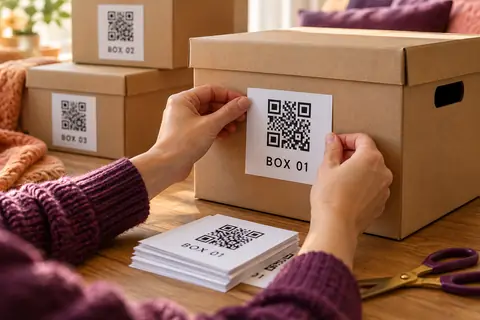
Attach a 92 × 92 mm box label so your storage has a clear, scannable identity. Printing box tags requires an active paid subscription.
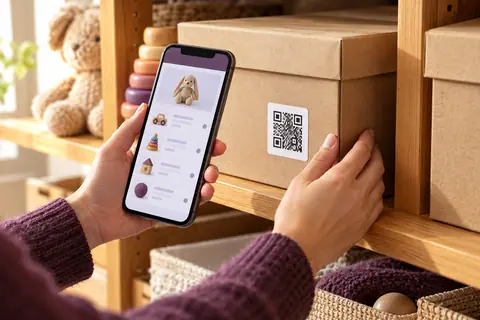
Scan a box QR tag in the app to open its inventory. See item details and prices, and keep locations up to date.
THE WORKFLOW IN THE APP
Research the find. Save its details. Know where you put it.
THE WHOLE RESELLING WORKFLOW
Research, organize, label, and track.
Tools for the work between the finds.
ILLUSTRATIVE WORKFLOW PHOTOStart from an item photo to explore its identity, resale potential, and pricing research. Keep the photo with the inventory record.
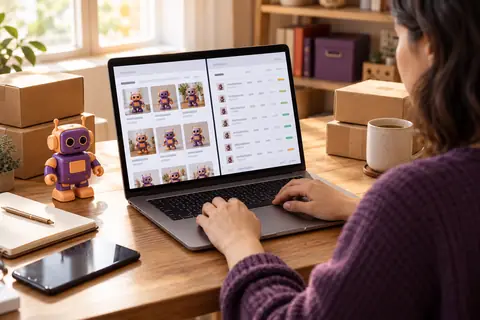 ILLUSTRATIVE WORKFLOW PHOTO
Revisit an item with fresh photo-based research across marketplaces, sold records, and specialist sites. Review the supporting sources before you decide.
 ILLUSTRATIVE WORKFLOW PHOTO
Review booth-price and quick-sale recommendations, edit your own item price, and use the app’s .99 price rounding. Estimates help guide your judgment.
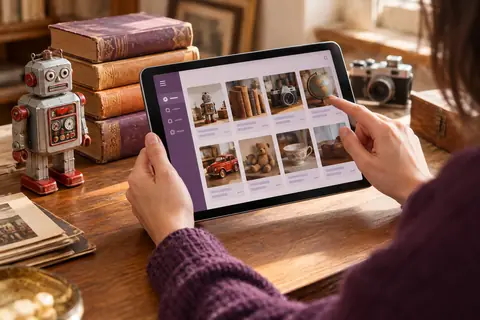 ILLUSTRATIVE WORKFLOW PHOTO
Add scanned finds or manual entries. Edit names and prices, search by item name or number, choose your starting number, and export inventory to CSV.
ILLUSTRATIVE WORKFLOW PHOTOCreate named or numbered boxes, move multiple items together, print a box tag, and scan it to open the contents. Box locations stay visible with your inventory.
 ILLUSTRATIVE WORKFLOW PHOTO
Record item cost and value to see estimated gross profit per item and across inventory. These estimates are before fees and other expenses.
 ILLUSTRATIVE WORKFLOW PHOTO
Mark items out for sale and move sold items into a dedicated view. Keep their previous box location with the sold record.
 ILLUSTRATIVE WORKFLOW PHOTO
Research which inventory items may be timely to sell, using demand, seasonality, and market evidence. Review suggested actions without automatically changing your prices.
 ILLUSTRATIVE WORKFLOW PHOTO
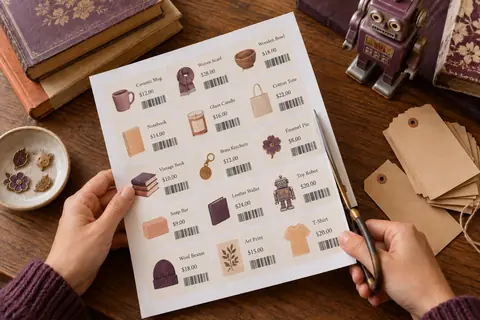
Add your business logo and vendor ID, set label dimensions and orientation, and include a hanging-tag hole guide. Item numbers, descriptions, and prices stay together.
 ILLUSTRATIVE WORKFLOW PHOTO
Print on Letter or A4 paper, or choose a supported Avery layout. Keep your item labels consistent and ready for your booth.
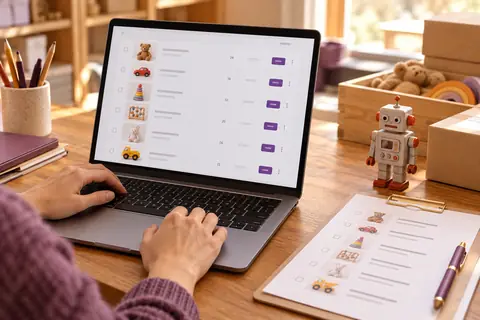 ILLUSTRATIVE WORKFLOW PHOTO
Track already-printed items and return them for reprinting. Deleted Items lets you restore saved records when you need them back.
 ILLUSTRATIVE WORKFLOW PHOTO
Give a helper scan-only access by code or QR without sharing your password. Set photo-count, automatic scanning, and appearance preferences to suit your workflow.
Feature availability depends on your access and setup. Trial users can create boxes, assign and move items, and view box contents. Inventory tag previews are included. Printing item and box QR labels requires a paid plan. Existing customers can sign in through the app.
Try ResalerIQ free ↗MONTHLY PLANS
All paid plans include inventory, box tags, and label printing.
$8.99 / month
50 item photo scans per month
Sign up$19.99 / month
200 item photo scans per month
Sign up$39.99 / month
500 item photo scans per month
Sign upScan allowances reset each calendar month. The seven-day trial includes up to five photo scans per day.
FREE FOR 7 DAYS
Explore your own inventory with up to five photo scans per day.
Trial requests are reviewed before activation. Create boxes, assign or move items, and view their contents during the trial. Inventory tag previews are included. Printing item tags and box QR labels requires a paid subscription.
Paid plans start at $8.99 per month after your trial.
After approval, we'll email you sign-in instructions and activate your seven-day trial.
Request my free trial ↗No payment is collected to request a trial.
ADD RESALERIQ AS A WEB APP (PWA)
Add the ResalerIQ app website to your Home Screen.
No separate app download needed.
A progressive web app (PWA) lets you open a website from an icon on your Home Screen. Start with the ResalerIQ app link provided with your account. Open that link in your phone’s browser, then follow the steps below. Adding an icon does not create an account or activate a trial.
Use your app link for installation, rather than this sales page. If you opened the link inside an email or social app, reopen it in Chrome on Android or Safari on iPhone/iPad. Menu wording varies by device. An internet connection is required for online features.
A FEW THINGS TO KNOW
The trial lasts seven days and includes five photo scans per day per business. You can preview inventory tags during your trial. Printing requires a paid subscription. Your trial starts after approval and a welcome email.
Yes. Select Log in to continue to the app and sign in with your existing account.
No. Appraisals and pricing research are starting points. Condition, authenticity, location, and buyer demand can affect value. Review the information and use your judgment before buying or pricing an item.
Starter is $8.99 per month for 50 item photo scans.
Growth is $19.99 per month for 200 item photo scans.
Pro is $39.99 per month for 500 item photo scans.
The free trial does not automatically start a paid subscription. See all plans.
The signup form at app.resaleriq.com securely sends your name and email to ResalerIQ for review. After approval, we create your account and email sign-in instructions. Your seven-day trial begins after approval and the welcome email is sent. Read our Privacy Policy for details.
THE NEXT GREAT FIND IS OUT THERE.
Make it count. ↗